Installing
Watari installs into a Basis project as a Unity package. It builds against the Basis SDK, Jiggle Physics and HVR Basis Comms, all of which ship with the Basis framework, so a Basis project already has everything it needs.
It is not needed. VRChat components arrive as missing scripts, which is what Watari reads.
It changes layers and the physics collision matrix, which are project-wide. Basis uses layer 3 and layers 6 to 11 for its player, avatar and interaction handling, so this breaks Basis itself.
Four ways to install it.
VPM
The package is published to a VPM listing at https://vpm.yuna0x0.com/index.json. Add that
listing to your VPM client once, and the package and its updates appear alongside everything else
you install that way.
ALCOM
ALCOM is an open-source VPM client with a graphical interface, and works with any Unity project.
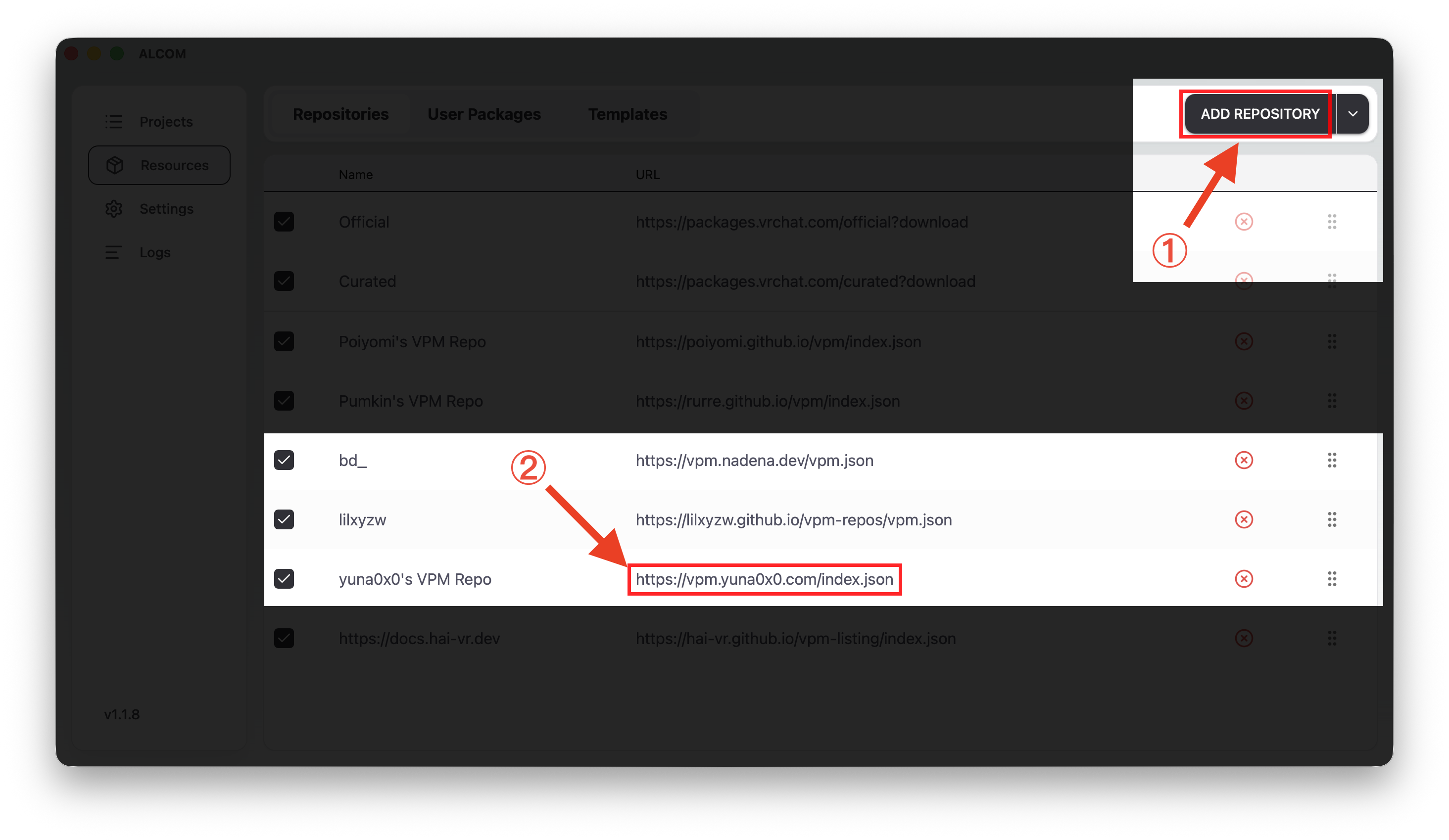
Add the listing. This is stored in ALCOM, not in a project.
- Open Resources in the sidebar, on the Repositories tab, and press Add Repository.
- Enter
https://vpm.yuna0x0.com/index.jsonand confirm. It then sits in the list.
Install it into your project.
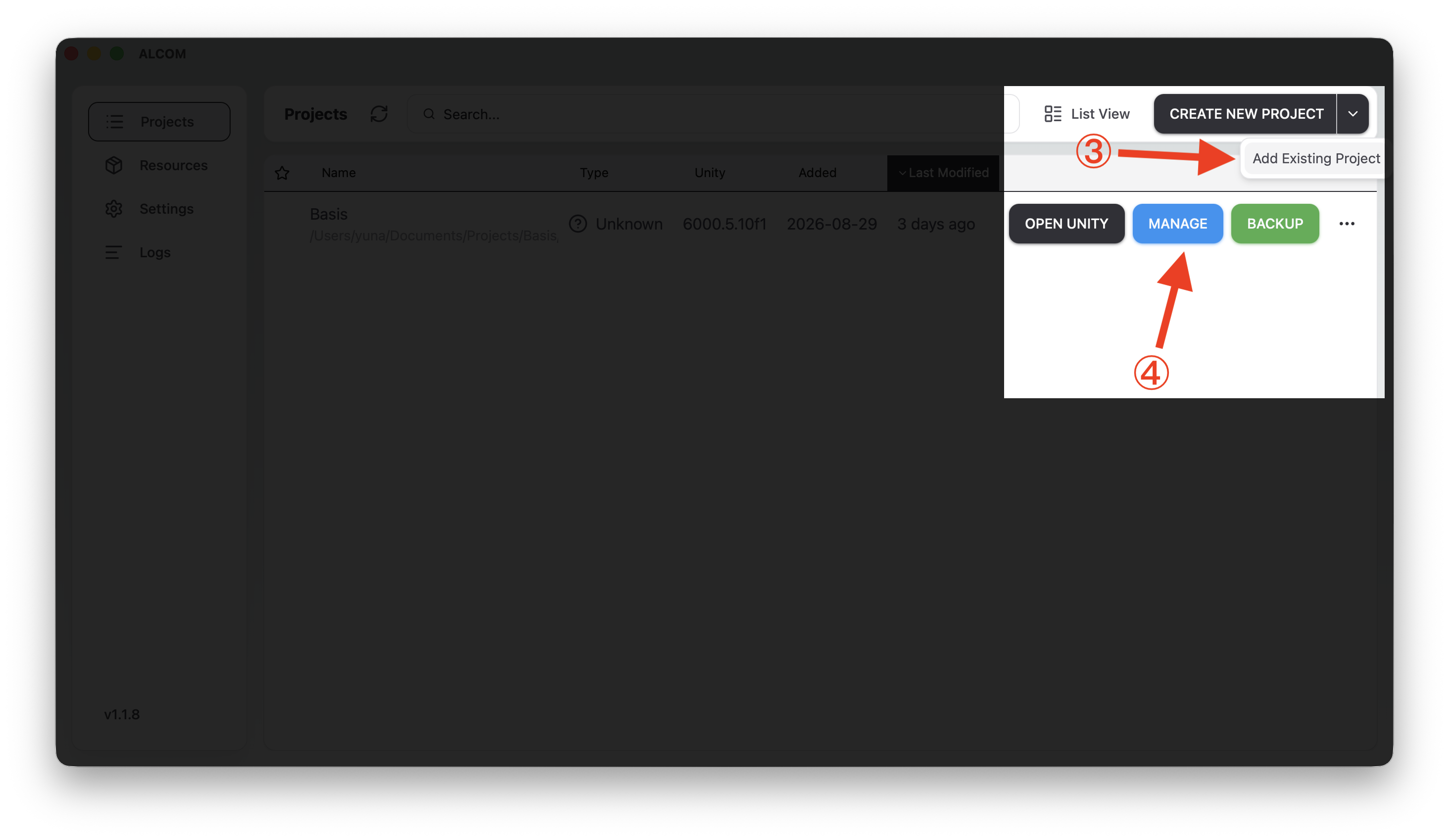
- Open Projects. If your Basis project is not listed, press the arrow beside Create New Project, choose Add Existing Project, and pick the project folder.
- Press Manage on its row.
- Find Watari (Converter for Basis) and press the + at the end of its row.
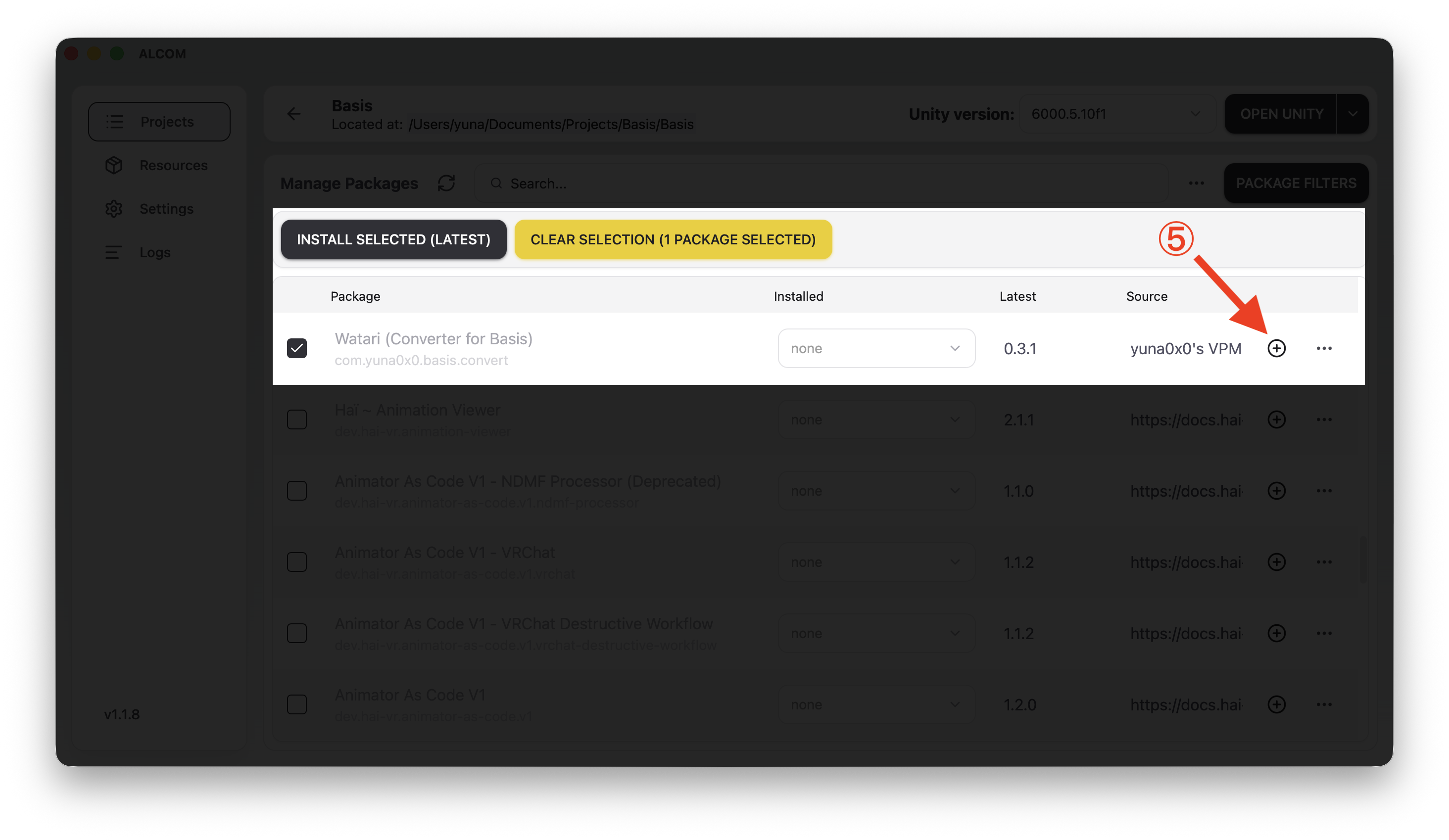
For a particular version, pick it from the Installed dropdown on that row instead of pressing +. Updates later appear as a newer number under Latest.
vrc-get
vrc-get is the command line client ALCOM is built on, so the two share their repository list:
vrc-get repo add https://vpm.yuna0x0.com/index.json
vrc-get install com.yuna0x0.basis.convert
VPM CLI
VRChat's own VPM CLI reads the same listing:
vpm add repo https://vpm.yuna0x0.com/index.json
vpm add package com.yuna0x0.basis.convert
OpenUPM
For projects managed with plain Unity Package Manager rather than a VPM client.
With the OpenUPM CLI:
openupm add com.yuna0x0.basis.convert
Or add the scoped registry by hand, in Edit > Project Settings > Package Manager:
- Name:
OpenUPM - URL:
https://package.openupm.com - Scope:
com.yuna0x0.basis.convert
Then add com.yuna0x0.basis.convert in Window > Package Manager > + > Install package by
name.
Git URL
No extra tooling, and useful for trying an unreleased version.
Window > Package Manager > + > Install package from git URL:
https://github.com/yuna0x0/watari-basis.git?path=/Packages/com.yuna0x0.basis.convert
Add #v0.12.2 to the end to pin a version. Packages added this way are updated by removing and
re-adding them, or by changing the version at the end of the URL.
Manual
Every release also has a .unitypackage attached, for projects that do not use a package manager
at all.
Download it from the
releases page and drag it into your project.
It restores to Packages/com.yuna0x0.basis.convert, so Unity treats it as an embedded package.
Updating means deleting that folder first, then importing the new one.